
DERNIÈRE VERSION
MovingClock –Horloge de bureau
Horloge à grand affichage, annonces vocales et bulletins météo.
XAPKOutils
✓Kiểm tra tương thích trên thiết bị của bạn
0.0/ 10
- 0
- Téléchargements
- 0
- Avis
- v1.0
- Dernière version
Télécharger
Preparing APK and XAPK…0%
APERÇU DE L’APPLICATION
Captures d’écran de MovingClock –Horloge de bureau
Faites glisser pour explorer
À propos de MovingClock –Horloge de bureau
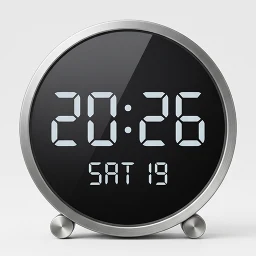
1. À propos Affiche l'heure en grand, facilement visible de loin. L'animation fluide lors du changement d'heure donne une impression de qualité supérieure. Synchronise l'heure quotidiennement pour une précision parfaite. Transforme vos anciens smartphones inutilisés en une horloge stylée. Avec l'économiseur d'écran, l'heure reste visible même pendant la charge. Suivez vos dates importantes grâce au compteur de jours restants (J-Day). Donnez une seconde vie à un vieux smartphone en le transformant en horloge de bureau.
2. Fonctionnalités principales Prise en charge de nombreuses langues (anglais, coréen, japonais, chinois, italien, espagnol, allemand, français, hindi, portugais, russe, thaï, vietnamien). Ajustement automatique de la taille du texte en fonction de l'écran. Personnalisation des couleurs de fond et du texte. Réglage du style, de l'épaisseur et de la taille de la police. Options d'affichage : Heure seule, format AM/PM, affichage des secondes. Fonction anti-marquage d'écran (déplacement léger de l'affichage à intervalles réguliers). Verrouillage de l'orientation (paysage/portrait). Divers formats de date (mise à jour automatique selon la langue). Réglage du fuseau horaire et affichage de l'heure locale. Affichage d'un compte à rebours (J-Day). Synchronisation automatique de l'heure (une fois par jour ; synchronisation manuelle possible). Paramètres d'extinction de l'écran (réduit la luminosité) - jusqu'à 2 plages horaires programmables. Affichage de l'horloge pendant la charge (via les paramètres d'économiseur d'écran système ; indique l'état de charge). Annonces vocales horaires (si le moteur Google TTS est configuré). Annonces vocales de l'heure des alarmes système. Affichage de la météo actuelle — Détection automatique de la position ou saisie manuelle.
3. Conseils d'utilisation Pour éviter que l'écran ne s'éteigne en cas de messages indésirables, nous vous conseillons de désactiver les alertes d'urgence ou les messages de catastrophe dans les paramètres de vos SMS. Si l'appareil est connecté à Internet (Wi-Fi), l'heure est synchronisée pour une précision optimale. En réglant la luminosité de l'écran de votre smartphone sur automatique, celle de l'horloge s'adaptera à la lumière ambiante. Sur certains smartphones plus anciens, la batterie peut gonfler si le chargeur reste branché très longtemps (plus de 6 mois). Vérifiez régulièrement l'état de la batterie. (Gonflement constaté sur Galaxy S5, pas sur Galaxy Note 5). Activez la fonction de protection de la batterie dans les paramètres de votre smartphone (Android 12, Galaxy S10 ou supérieur) pour prolonger sa durée de vie.
4. Appareils compatibles Fonctionne sur les appareils Android version 7 ou supérieure (voir exemples ci-dessous). Samsung : Tous les modèles Galaxy S6/A6/Note 5 et ultérieurs, Tab A7 et ultérieures, tous les modèles Tab S (Galaxy Note 5 et ultérieurs recommandés). Google : Tous les modèles Pixel. Xiaomi : Tous les modèles, y compris MI 3, Mi Pad 3 et ultérieurs (MI 7 et ultérieurs recommandés). LG : Smartphones G4, V10 ou ultérieurs.
- ↗Horloge à grand affichage, annonces vocales et bulletins météo.
Nouveautés de v1.0
- The app icon has been changed.
- Added a feature to display the time in a single line in portrait mode.
- Weather API changed (OpenWeatherMap -> Open-Meteo), Please reset the weather settings.
NOTE DE LA COMMUNAUTÉ
0.0/10
Review for MovingClock –Horloge de bureau
0.0/10 from 0 reviews
HISTORIQUE DES VERSIONS
Anciennes versions de MovingClock –Horloge de bureau
KHÁM PHÁ RIÊNG CHO BẠN
Cá nhân hóa có kiểm soát
Lịch sử được lưu trong trình duyệt; server chỉ xử lý tín hiệu đã giới hạn để trả gợi ý và không lưu hồ sơ cá nhân.Đang nhận diện Android và ABI từ trình duyệt…
Cá nhân hóa đã tắt.
SoftSri sẽ không ghi nhớ app vừa xem hoặc danh mục thường truy cập trên trình duyệt này.
Phổ biến tại quốc gia của bạn
Xu hướng theo khu vực đã chọn.
Tiếp tục khám phá
Dựa trên app và danh mục bạn vừa xem.
MovingClock –Horloge de bureau
Découvrir
Tout voir ↗Applications similaires
02
Application

Personnalisation
TV Launcher Premium Smart UI
Smartago
★ 9.1
Varies
03
Application

Outils
MultiApp Ultra
waxmoon
★ 8.8
Varies
04
Application

Outils
Signage Setup Assistant
Samsung Electronics Co., Ltd.
★ 7.0
Varies
05
Application

Outils
Publisher - Постинг в соцсети
Smartvision
★ 8.6
Varies
06
Application

Outils
Katty
ZEER Studio
★ 8.2
Varies
07
Application
Tools
LG Smart TV Remote Control
Quanticapps FZ LLE
★ 6.1
Varies
08
Application
Outils
Remote for Philips Sound Bar
Mobile-Care
★ 6.3
Varies